
A coach you can talk to
A busy day, a change of plan, or a question about dinner. Talk it through with a coach that knows your goals and preferences.
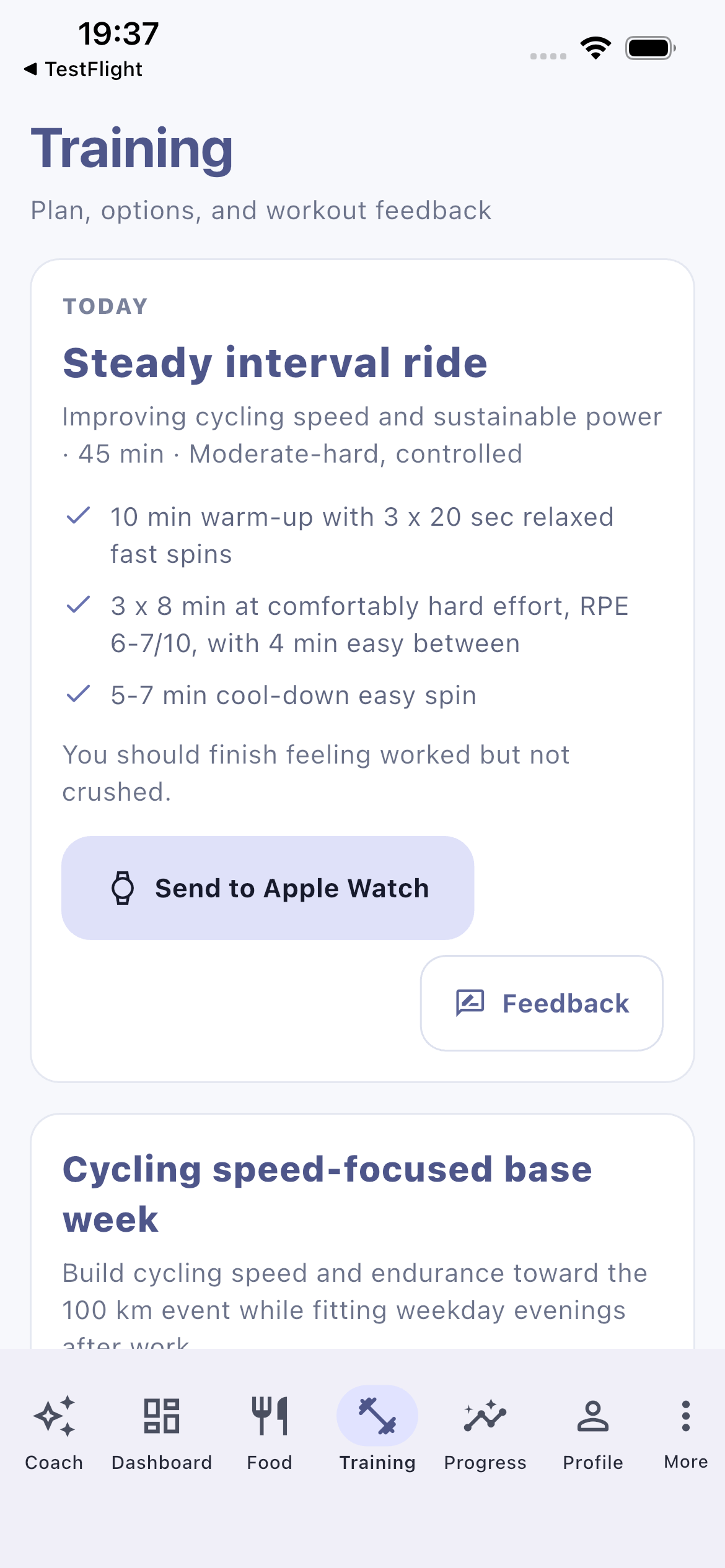
A plan built around you.
Know what to eat, how to train, and what to adjust when life changes. Maya is your AI coach for a plan that fits your goals and your day.
One coach
Training
Nutrition
Progress
Connected health
Coaching with context
Tell Maya what is happening in your day. She uses your goals, preferences, plans, and recent activity to help you work out a practical next step, whether that is an easier session or a different dinner.
Your goals, food preferences, schedule, and experience give Maya a starting point.
Ask a question, explore an option, or request a change to your meal or training plan.
Your saved meals, sessions, and reflections help shape the next conversation.
Your plan, working together
Maya connects the everyday details so each part of your plan can inform the next.
A busy day, a change of plan, or a question about dinner. Talk it through with a coach that knows your goals and preferences.
Plan the next seven days, log what you eat, and get a shopping list with the quantities your meals need.
Get structured sessions that match your goals, availability, experience, and the equipment you actually have.
See your meals, activity, weight trends, and performance goals together. Understand the bigger picture, not just one day.
Apple Watch
Send supported sessions from your plan to a paired Apple Watch, then bring completed workouts back into Maya through Apple Health. Your full session steps and effort guidance stay on iPhone.
Requires iOS 17 or later and a compatible paired Apple Watch. Supported activity types vary.
Connected health
Connect Apple Health to bring workouts, daily movement, and recovery signals into your coaching. You choose which categories to share, and Maya uses summaries to help put your day in context.
Available with permission
Maya Coach
Explore the complete coaching experience before the monthly subscription begins.
Personal coaching that adapts as you make progress.
Ask about early access Coming soon on the App Store. Trial eligibility and local pricing are confirmed before purchase. Subscription renews automatically unless cancelled through your Apple account.Good to know
Maya brings coaching, meal planning, food logging, training plans, activity insights, and progress tracking into one connected experience.
Eligible new subscribers can try Maya Coach free for 14 days. The advertised price after the trial is €29.99 per month, with local pricing shown in the App Store before you subscribe. Your subscription renews automatically unless cancelled through your Apple account.
Maya is preparing for its iPhone App Store launch. You can contact us about early access while testing continues.
No. You can use Maya for coaching, meal planning, training, and progress on iPhone without a watch. Apple Health and Apple Watch are optional connections.
Yes. On iPhone with iOS 17 or later, Maya can schedule supported planned workouts by activity type and duration on a compatible paired Apple Watch. Completed workouts can then be imported from Apple Health when Maya next syncs. Health access is optional and limited to the categories you choose to share.
No. Maya supports everyday fitness and nutrition planning, but it does not diagnose conditions or replace a qualified medical or healthcare professional.
Maya is preparing for launch on iPhone. Get in touch about early access or testing.
Ask about early access